
Messaging platforms like WhatsApp are a hotbed for conniving crooks trying to steal your personal data. Spotting the red flags early on can help keep your information secure. Look out for these clues to spot the fakes.
CLUE #1: Messages from outside of your contact list
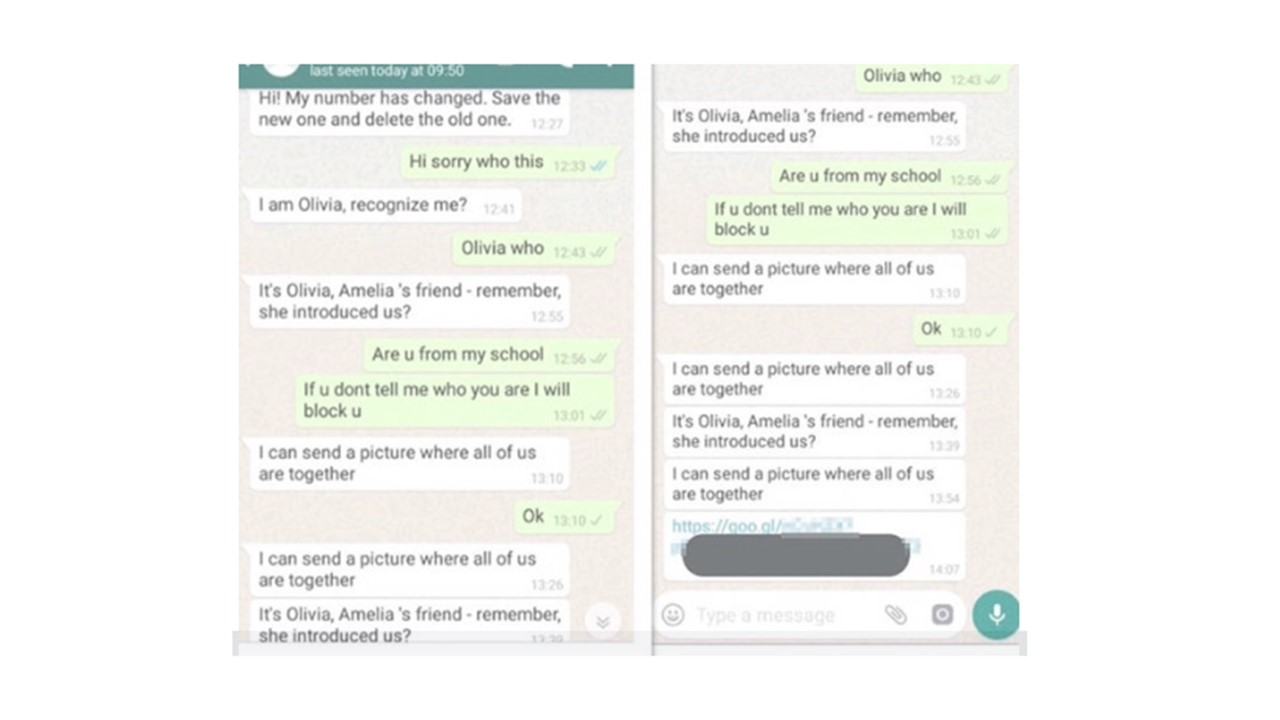
Unknown persons may send you a message out of the blue tempting you to interact – never respond or interact with these messages.
Note: Question out of the ordinary messages from people you know such as requests for money – their account may be compromised by a scammer.
CLUE #2: Poor spelling or grammar
Cybercriminals don’t always have the best quality checks or proofreaders – if messages include typos, misspellings, grammar mistakes or language that does not quite make sense, immediately delete them.
CLUE #3: Too good to be true offers and discounts
Messages promising free discounts, prizes and giveaways are a red flag – never submit personal details to enter unsolicited sweepstakes or other contests. 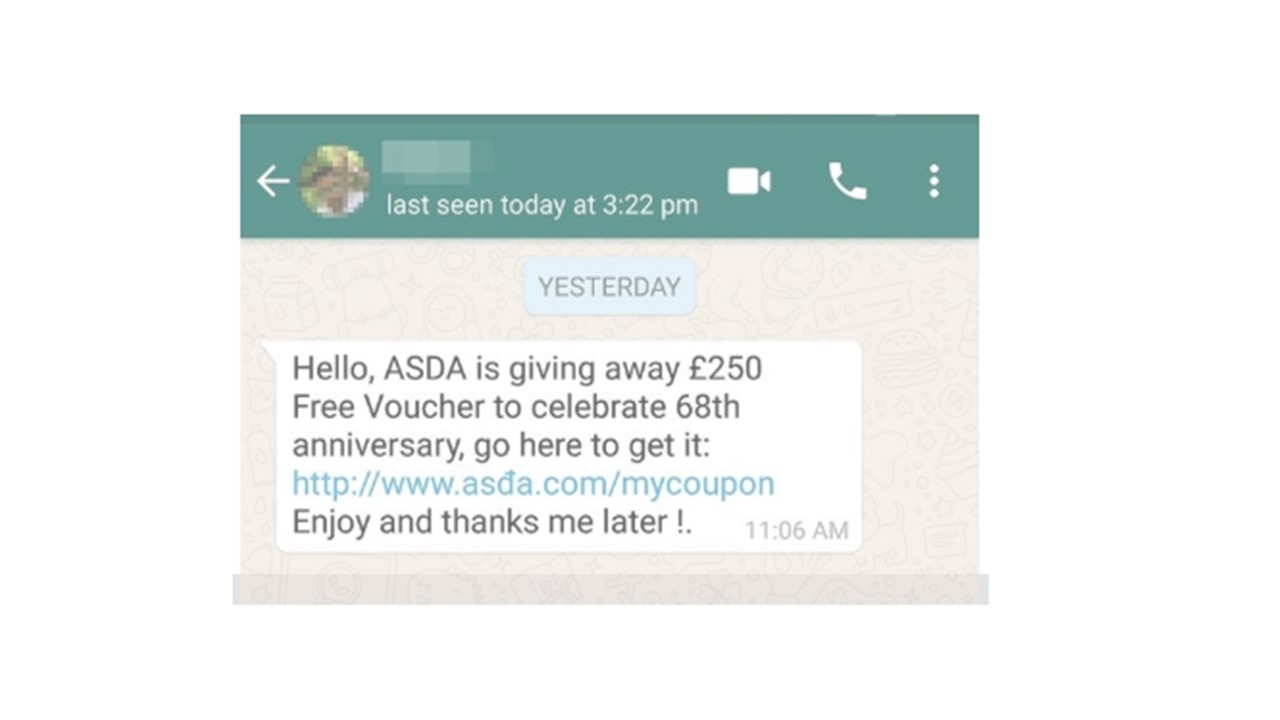
CLUE #4: Suspicious links or attachments
Never click on unexpected links or attachments embedded in WhatsApp messages – these can install malware or other malicious viruses on your device and steal personal information.
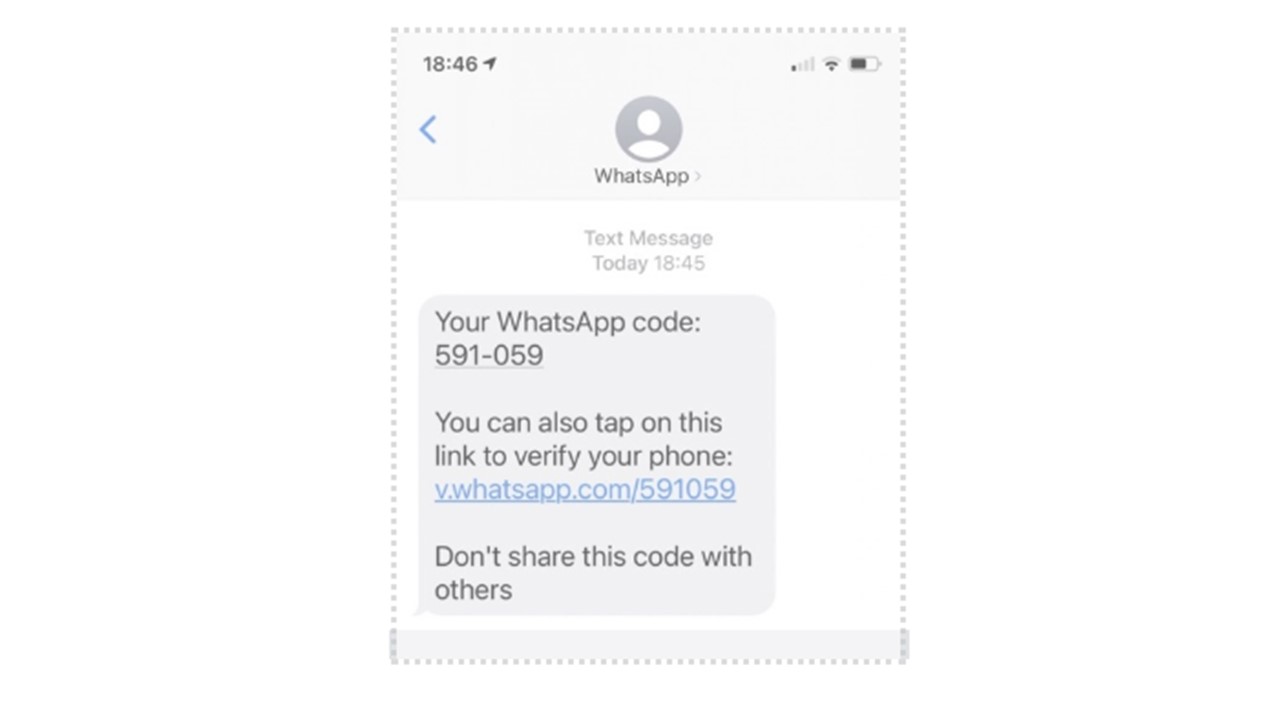
CLUE #5: Unprompted text messages with six-digit WhatsApp codes
WhatsApp will never send you unsolicited text messages – these fake codes are a form of smishing and can compromise your personal login information.
CLUE #6: Surprise offers to download special versions of WhatsApp
Only download WhatsApp off of verified app stores such as Apple, Google or Android – WhatsApp will never contact you directly to download “special” versions or pay for its services.
How to Squash Scammers
The best way to prevent attacks through WhatsApp is to apply the same knowledge and skills you use to identify suspicious emails, text messages and phone calls. If you wouldn’t respond to an email or text – don’t do it on messaging apps either.
- Immediately block suspicious senders and delete any messages from your inbox
- Use reporting methods within the app to alert WhatsApp of suspicious messages
- Go to the Help Centre within the app, type “report scam” into the search field, and follow the instructions provided
- Or, go to select Settings > Help > Contact Us
- Never engage in any way with suspicious messages – do not respond, click links, download attachments, share personal information, send money, etc.
Thank you for staying cyber-secure!
Learn more about staying safe on WhatsApp by visiting the app’s guide about spam and unwanted messages.