
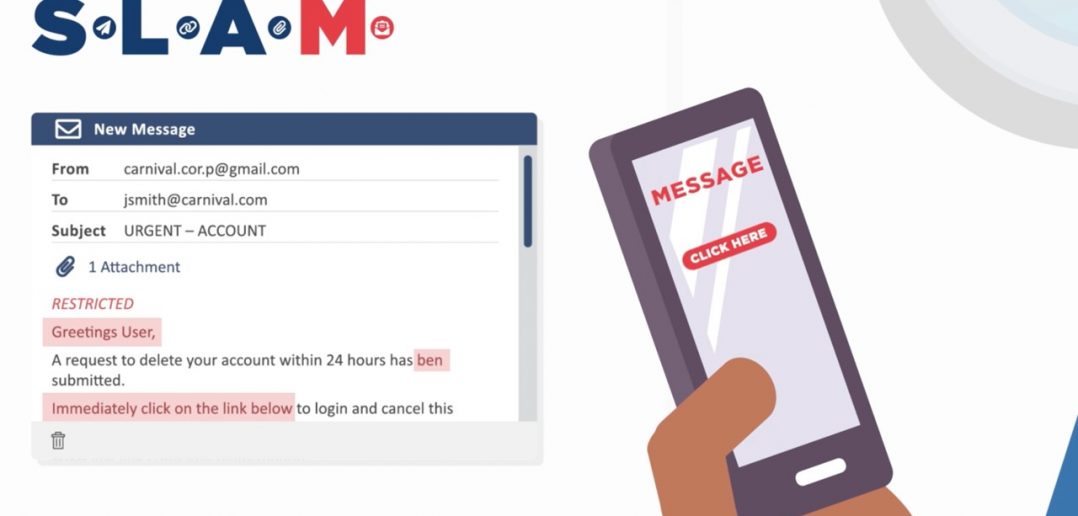
It is a very bad, no good, week for hackers. That’s because this fun and informative video teaches you a quick and easy method to “SLAM” the door on potential phishing scams by checking messages for these clues:
Sender: Look for misspelled domains or mismatched email addresses/senders’ names.
Links: Hover over (but do not click on) links – especially unrecognized links.
Attachments: Beware of unexpected attachments from people you know and don’t open attachments from unknown senders.
Message: Be suspicious of emails with unusual language, misspelled words and bad grammar.
If you suspect a phishing attempt, never reply to the sender asking for identity confirmation. Instead, report it by clicking on the ‘Submit a Phish’ button in Outlook.
For more on identifying phishing attacks, please visit The IT Security pages on The INSIDER.