
Did you know about 30,000 spoofing attacks happen per day? The term “spoof” might not sound scary, but the results can be. To avoid getting spoofed, it is helpful to know how hackers use spoofing to trick you so you can avoid potential attacks.
Spoofing involves cyber-criminals impersonating trusted contacts or companies, to trick you into revealing private, confidential or sensitive data.
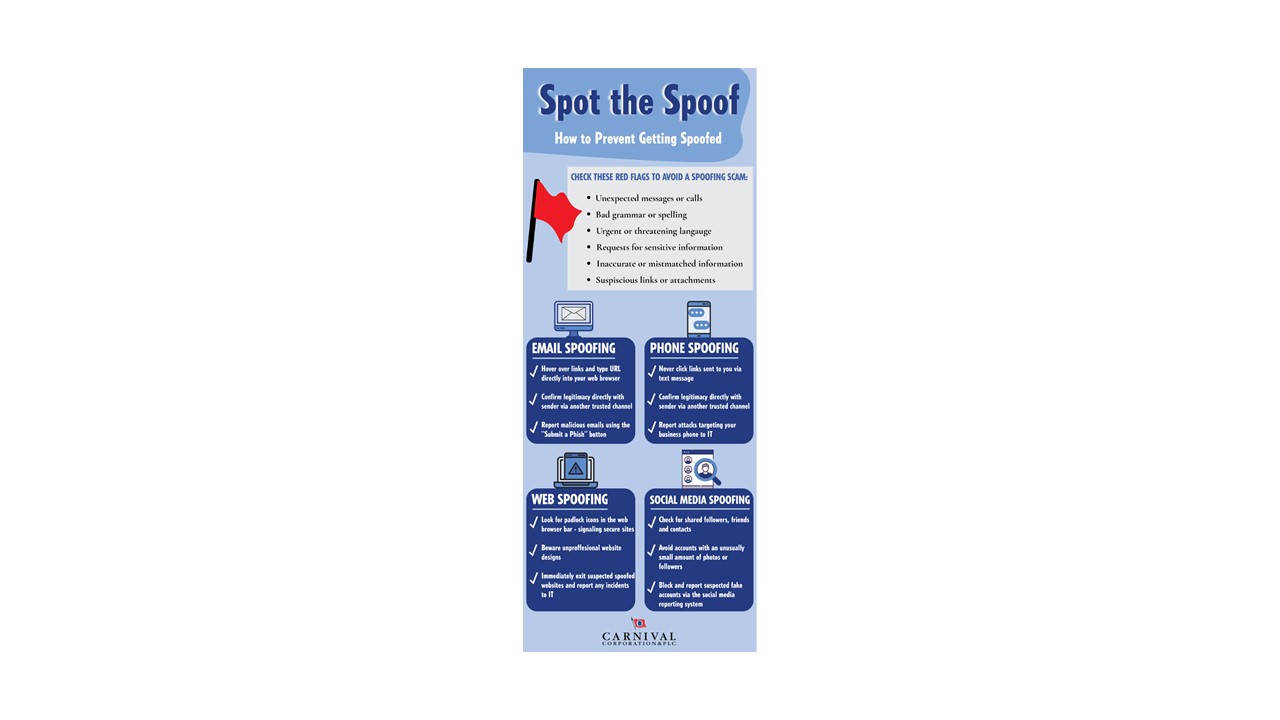
Email spoofing: Emails can be spoofed a number of different ways, including senders’ names, display names, reply-to addresses, domains and actual email content. Email spoofing attacks also often contain links to malicious websites or infected attachments. Be on the safe side and always:
- Double-check that email addresses and domain URLs match and are legitimate.
- Hover over links or attachment to check if the domain or file name match and seem legitimate.
- Look for bad grammar or spelling errors.
- Beware of urgent requests for money, credentials or sensitive info.
- Confirm unusual requests with senders over the phone or in-person – do not reply to the emails.
- Investigate suspicious requests by opening new browsers and visit the websites directly – do not click on any links.
- Report suspected spoofed emails using the “Submit a Phish” button.
 Phone spoofing: Fraudsters mimic trusted phone numbers, senders’ names or both in text messages or voicemails to your business phone. Like email spoofing:
- Ignore calls and text messages from unrecognised contacts.
- Never click unexpected links sent to you via text message.
- Verify urgent requests in-person or with a direct call to the sender before clicking links or sharing confidential information.
- Avoid texting private, sensitive or confidential information.
- Report spoofing attacks targeting your business phone to IT [INSERT CONTACT INFORMATION].
 Website spoofing: Spoofed websites are commonly linked within spoofed emails or text messages and often contain misspelled URLs or altered website designs. Here is what to do:
- Check for misspelled website addresses and URLs.
- Look for padlock icons in the web browser bar – signaling secure websites.
- Avoid websites without “HTTPS” in their web addresses.
- Be suspicious of unprofessional website designs, misspellings and grammar errors.
- Immediately exit suspected spoofed websites and report the sites to IT.
 Social media spoofing: Hackers impersonate profiles of people/companies you trust or create fake login pages for popular platforms like Instagram, LinkedIn, Facebook and Twitter. To avoid getting spoofed:
- Check for shared followers, friends and contacts.
- Be suspicious if there are unusually small numbers of followers.
- Avoid accounts with very few or no photos.
- Steer clear of profiles with generic logos, stock photos or mass-produced avatars.
- Block and report suspected fake accounts through social media reporting options.
Whether it’s email, phone, website or social media – take immediate actions to dodge and report suspected spoofing attacks. If you suspect a spoofed email, immediately report using the “Submit a Phish” button. If you suspect a business-related text message, website or social media account is a spoof, report it to malicious@carnival.com.
Visit our trusted cybersecurity partner, Terranova, for more tips on spoofing prevention https://terranovasecurity.com/identify-spoofing-attack/ *
*This link takes you to a third-party website. This is an approved, safe link to the vendor helping us with this program. We use Terranova to help us deliver the phishing program.