
The first line of defence to any company is its people. Scammers know this – they rely on it, on our vulnerabilities as human beings, on our emotions and willingness to help. Scammers have no conscience – they’ll use any means at their disposal to try and get their foot in the door. That’s why we have to be careful what we click on, think about who we’re talking to, and double check before we reply.
One of the most common tools in their toolbox is Phishing, which is a cyber-crime where scammers contact you via email, text or telephone pretending to be someone they’re not, with the aim to get information, money or infecting your computer with malicious software (Malware).
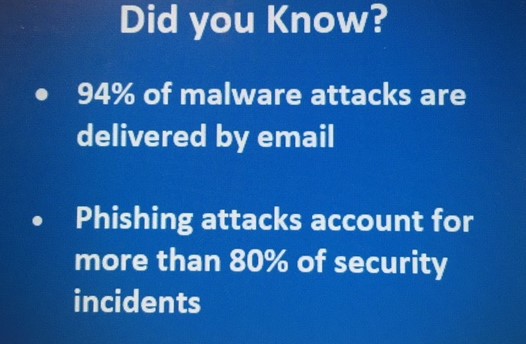
Did you Know?
- 94% of malware attacks are delivered by email?
- Phishing attacks account for more than 80% of security incidents.
What is Malware?
After trying to convince you to click on a link or download a file, you could be infected with a nasty little digital bug designed to secretly infect your computer. This malicious software (Malware) can wreak havoc on a computer and the network by stealing passwords, deleting files or locking us out of our own systems until we pay a ransom (Ransomware) to the criminals.
So how could a hacker try and hook you on their line, and what are the signs you need to look out for?
There are many types of phishing a hacker will try to use on you – they are constantly evolving their tactics as technology develops so stay alert:
- Email Phishing; the most well known
- Most phishing attacks are sent by email. The cybercriminal will create a fake email address that looks like a genuine organisation and sends out thousands of email requests. The fake address is made to look as genuine as possible, often involving miss-spelling e.g. Sam@Carnivallukgroup.com or character substitution, like using ‘r’ and ‘n’ next to each other to create ‘rn’ instead of ‘m’.
There are a number of red flags you should look out for in spotting a potential phishing mail, such as:
– If the email is sent from a free email service provider such as @gmail, @yahoo, @aol, @outlook etc.
– It contains a strange or unexpected attachment
– It creates a sense of urgency (no matter how urgent an email appears to be – you always have time to check if it’s genuine!)
– It links to an unfamiliar or misspelled email address
– It contains spelling or grammatical errors
– It claims to be from a source of authority within the business asking you to do something that you wouldn’t expect to be asked to do (such as provide your pay an invoice out of process)
- Spear Phishing
- Spear phishing is the same as email phishing, but using information the cyber criminals have gathered, to target a particular individual. Criminals who do this may already have some or all of the following information that they have taken from public available sources about their victim, including social media sites such as LinkedIn, Facebook, Twitter etc.
– Their name
– Place of employment
– Job title
– Email address
– Specific information about their job role
- Whale Phishing
- Whaling attacks are even more targeted, taking aim at senior executives. Although the end goal of whaling is the same as any other kind of phishing attack, the technique tends to be a lot subtler.
Tricks such as fake links and malicious URLs aren’t useful in this instance, as criminals are attempting to imitate senior staff.
Scams involving bogus tax returns are an increasingly common variety of whaling. Tax forms are highly valued by criminals as they contain a host of useful information: names, addresses, Social Security numbers and bank account information.
- Smishing and Vishing
- With both smishing and vishing, telephones replace emails as the method of communication. Smishing involves criminals sending text messages (the content of which is much the same as with email phishing), and vishing involves a telephone conversation.
Smishing is SMS phishing where text messages are sent trying to encourage people to pay money out or click on suspicious links to provide personal information.
Vishing is over the phone phishing where scammers will try to persuade people to share information by posing as bank staff or other financial service employees. A common vishing scam involves a criminal posing as a fraud investigator (either from the card company or the bank) telling the victim that their account has been breached. The criminal will then ask the victim to provide payment card details to verify their identity or to transfer money into a ‘secure’ account – by which they mean the criminal’s account.
- Angler Phishing
- Angler phishing is a specific type of phishing attack that exists on social media. Unlike traditional phishing, which involves emails spoofing legitimate organisations, angler phishing attacks are launched using bogus corporate social media accounts.
A relatively new attack channel, social media offers a number of ways for criminals to trick people. Fake URLs; cloned websites, posts, and tweets; and instant messaging (which is essentially the same as smishing) can all be used to persuade people to divulge sensitive information or download malware.
Alternatively, criminals can use the data that people willingly post on social media to create highly targeted attacks.
What can I do?
Stay Alert! If something looks suspicious then report it straight away to IT.security@carnivalukgroup.com.
Remember the golden rule! ALWAYS check the sender (caller) and NEVER click on a link, download a file or share information if you’re not sure of the legitimacy of the person requesting it.